Every two weeks, brands running activations on Swiggle get a report in their inbox. Most people scroll straight to the signup count. It's the biggest number on the page, so it feels like the score. On its own, it is the least useful number in the report.
The four numbers in every report
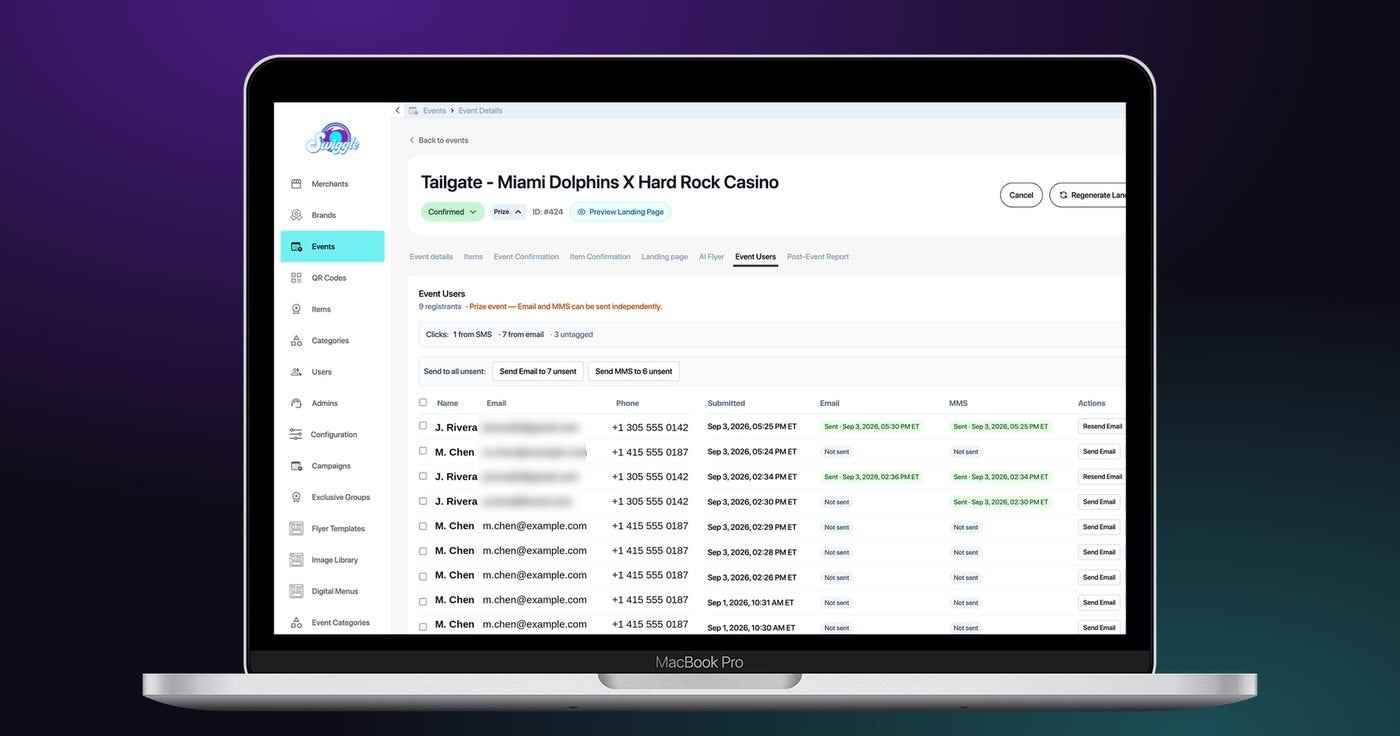
A Swiggle report tracks one guest from the moment they scan to the moment they pick up the prize. Signups are the people who filled in the form on your page. Confirmed is how many of them got their code by SMS or email. The clicks line splits who came back through SMS and who came back through email. Redemptions are the people who walked into a partner venue and picked up the prize, logged against the event that brought them in.
Read those two numbers together and the shape of every campaign becomes clear. Getting a code to the guest is close to automatic. Getting the guest to show up for the prize is where events win or lose.
Start with redemptions, not signups
A signup is intent. A redemption is a person standing at the bar, holding your product. That makes redemptions the closest number in the report to what a brand actually gets paid on: product moving off the shelf or off the menu.
Redemption also swings more than any other number, mostly with distance. In our data, a same-venue event converted 44% of signups into redemptions, while large offsite festivals landed between 1.6% and 5.8%. We broke that down in why proximity is the single biggest driver of redemption.
Read signups against the venue type
Not all signups are worth the same. Parks and outdoor events bring in the most form fills by far, while restaurants bring fewer fills but the guests come back and the venue reorders. A report showing 160 signups from a park and 27 from a restaurant is not a story about the park winning. It's two different jobs: the park builds the list, the restaurant moves the product.
Use the channel line to plan the next send
The clicks line tells you where your audience actually responds. If most returning guests came through email, lead with email next time. If SMS clicks are low, check whether those guests opted in to SMS at all before reading it as a weak channel. The panel also shows how many people haven't been sent anything yet, so a single follow-up can recover guests who signed up and went quiet.
What the report doesn't show
A report counts what happens inside the campaign: the form, the code, the pickup. It does not see a guest who liked the sample and bought a bottle at a different store a week later. Treat redemptions as the floor of what the activation did, not the ceiling.
What to do with your next report
Open it in this order: redemptions, then redemption rate by event, then signups by venue type, then the channel line. If one event redeemed well above the rest, look at where it was and how close the prize sat to the guests. That is usually the thing worth repeating.
Was this useful?

